
Type in Gujarati - ગુજરાતી માં લખો

English to Gujarati typing in your browser using simple phonetic input, no extra software required.

English to Gujarati Gujarati Mode Ctrl/⌘ + G to toggle
Words
0
Characters
0
No Spaces
0

Spread the word

If you liked our Type in Hindi Tool, show some love and share it with a friend.

Gujarati typing hub

Helping Gujarati writers type faster and easier online

Type in Gujarati is a free browser-based Gujarati typing tool trusted by students, creators, office users, and professionals. Type with English letters, get Gujarati script instantly, and keep drafts on your device with local autosave.

Availability
24/7 Online
Cost
Free online Gujarati typing
Privacy
Drafts stay in your browser
Updated
May 2026

Read our privacy policy or contact us if you need help with Gujarati typing, fonts, or text conversion.
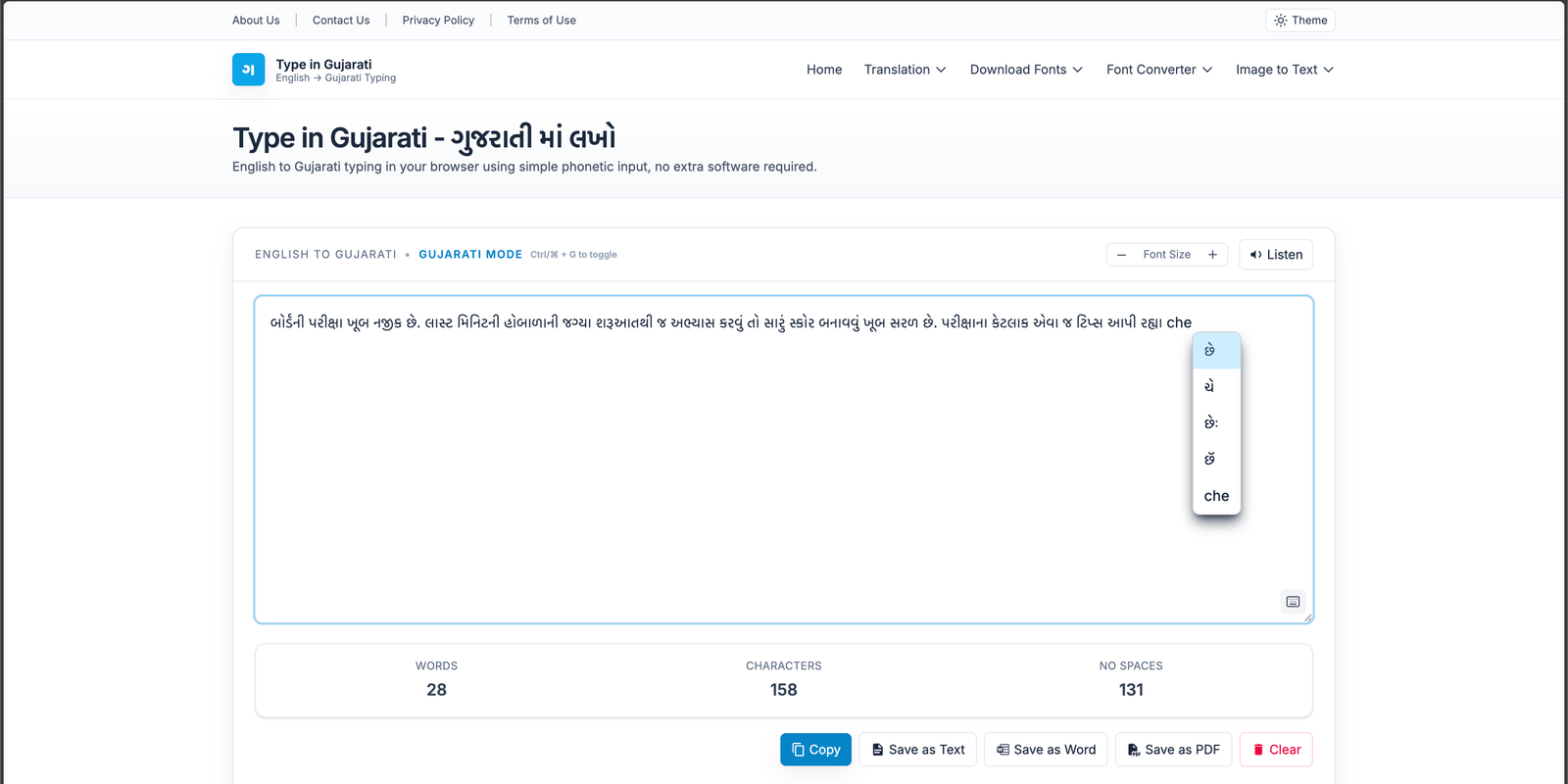
Type in Gujarati editor converting English text to Gujarati online
Live editor with autosave, export, Gujarati suggestions, and text-to-speech support.

English to Gujarati Converter

We strive to make your life better by creating useful and easy tools. We have created an English to Gujarati typing tool to let you type in Gujarati with ease. All you need to do is type in English phonetics and our tool will convert it into Gujarati in no time. Our website also comes with Dark Mode that can help you type at night without stressing your eyes. The whole process is online and you don't need to download any software.

Our tool is based on Gujarati Transliteration which works on Phonetics. It is one of the fastest, most accurate and simple methods to type in Gujarati without actually needing a Gujarati Keyboard layout. This is completely free along with unlimited characters and words.

If you want to translate text from English to Gujarati you can use our English to Gujarati Translation tool.

If you have an image with Gujarati Text on it, you can use our Gujarati Image to Text OCR. This is the most convenient way to grab text from an image.

How does our Gujarati Typing tool work?

  1. Type in Romanized English in the textarea above and it will be converted to Gujarati as soon as you hit spacebar. Example: If you want to transliterate the phrase "Kem cho tame" into Gujarati script, you have to type the phrase into the input box and it will automatically be converted into "કેમ છો તમે".
  2. Our tool helps you to get suggestions based on your input. To get suggestions click on the word or use backspace. This will pop up a menu from which you can choose the correct word.
  3. You can easily switch between Gujarati and English. To toggle the language press (Ctrl + G) together.
  4. Any text that you have written will be saved automatically. This prevents any kind of loss in case of crashes or power shutdowns.

Type in Gujarati and share the text on any app or social network like Whatsapp, Facebook, Instagram, etc. You can also save the written text in Word, Text, or PDF format.

English to Gujarati typing examples

Type the English spelling, press space, and the editor converts it into Gujarati script. These examples match the most common way people search for a Gujarati typing keyboard online.

English input

kem cho tame

કેમ છો તમે

English input

maru naam amit che

મારું નામ અમિત છે

English input

gujarati ma lakho

ગુજરાતી માં લખો

Gujarati typing workflow

Use our Type in Gujarati editor as your main typing hub, then move to translation, OCR, or fonts when the task needs more than transliteration.

Need of a Gujarati typing tool

In this digital age, when all of us are limited to profile pictures and statuses, we must retain our power of expression. Our thoughts and emotions are often best expressed in the language of our hearts: our mother tongue.

A bilingual person switches to their mother tongue often when expressing their deepest emotions. However, most of us are deprived of the option to communicate in our mother tongue online. But worry no more, we're here with a premium Gujarati typing tool.

Do you want to share festival wishes, poetry, or a heartfelt message in Gujarati but don't know how to type it in Gujarati on your device? We have got you covered. All you have to do is type your message in English phonetics and our tool will transform that English into Gujarati script. Then all you have to do is copy your transliterated message and share it on other applications.

Gujarati Alphabets & Character Mapping

Gujarati language is written in the Gujarati script, which is a variant of the Devanagari script. The script contains 36 consonants and 11 vowels. Also, the representation of numbers follows the Gujarati numeral system.

  • Vowels - સ્વર : અ, આ, ઇ, ઈ, ઉ, ઊ, ઋ, એ, ઐ, ઓ, ઔ
  • Consonants - વ્યંજન : ક, ખ, ગ, ઘ, ઙ, ચ, છ, જ, ઝ, ઞ, ટ, ઠ, ડ, ઢ, ણ, ત, થ, દ, ધ, ન, પ, ફ, બ, ભ, મ, ય, ર, લ, વ, શ, ષ, સ, હ, ળ, ક્ષ, જ્ઞ
  • Full Stop - પૂર્ણવિરામ : . અથવા |
  • Numbers in Gujarati - અંકો :૧ ૨ ૩ ૪ ૫ ૬ ૭ ૮ ૯ ૦

Gujarati Transliteration Guide (How to Type Half-Letters & Conjuncts)

Our phonetic Gujarati Typing tool maps Roman letters to closest sounding Gujarati characters. To achieve high typing speed, master these specific spelling combinations:

Desired OutputPhonetic Spelling to TypeExample
Halant / Half-Letter (કિષ્ના)kishnaType letters together without vowels in-between to merge them.
Conjunct Ksha (ક્ષત્રિય)kshatriyaLetters k, sh, and a combine to form ક્ષ.
Conjunct Gna (જ્ઞાન)gnaanLetters g, n combine to form the sacred consonant જ્ઞ.
Ru Vowel (ઋષિ)rushiType ru to insert the vocalic vowel .

The History and Script of the Gujarati Language

Gujarati is an Indo-Aryan language spoken by over 55 million people worldwide, predominantly in the Indian state of Gujarat. It is derived from Sanskrit through intermediate Prakrit dialects.

The Gujarati script is a cursive derivative of Devanagari. A notable typographic difference between Devanagari (used in Hindi) and Gujarati script is the absence of the horizontal top line (Shirorekha) above the letters. This absence gives Gujarati a lighter, open aesthetic on screen, leading to fast digital readability.

Frequently Asked Questions (FAQ) on Gujarati Typing

How can I type in Gujarati using my normal English keyboard?

You can type in Gujarati phonetically using simple English letters. Our tool translates inputs in real-time. For instance, typing "kem cho" instantly outputs "કેમ છો". No complex installations or physical Gujarati keyboards are needed.

What is the shortcut key to toggle between Gujarati and English?

You can toggle instantly between Gujarati and English typing by pressing the Ctrl + G keys (or ⌘ + G on Mac) together. This allows you to mix languages seamlessly within your paragraphs.

Does this Gujarati typing tool store my typed draft?

No, your typed content is completely private. All transliteration happens inside your browser, and drafts are autosaved locally using HTML5 localStorage. No text is transmitted or stored on external database servers.

Tips for Typing Gujarati on macOS Safari or Chrome

On macOS devices, if the suggestion box doesn't align correctly, ensure your browser zoom level is set to 100%. Our tool uses caret-coordinate calculations that scale perfectly with responsive layouts on standard zoom.